
Download Google Play Games Beta – PC Gaming, Mobile Games, Keyboard Support, Google Play Points
Overview
Google Play Games Beta is a PC application designed for Windows users seeking to extend their mobile gaming experience to desktop environments. The app enables users to browse, download, and play a curated selection of Android games directly on their Windows laptops or desktops. This tool addresses the growing demand for cross-device gaming flexibility, allowing players to enjoy mobile titles with enhanced input methods and larger screen real estate.
Target users include casual gamers, mobile game enthusiasts, and individuals who prefer the precision and comfort of keyboard and mouse controls during gameplay. The application is developed by Google LLC, a trusted name in digital ecosystems, which lends credibility to its integration with Google’s broader gaming services. Real-world use cases include playing popular mobile games like puzzle titles, strategy games, and casual adventures without switching devices.
The app also supports seamless progress synchronization, enabling users to transition between mobile and desktop play effortlessly. As part of Google’s ongoing efforts to unify its gaming ecosystem, Google Play Games Beta plays a strategic role in bridging mobile and PC gaming platforms. Although the developer did not provide additional technical details, the app’s core functionality is focused on accessibility, convenience, and continuity across devices.
Key Features & Functionality
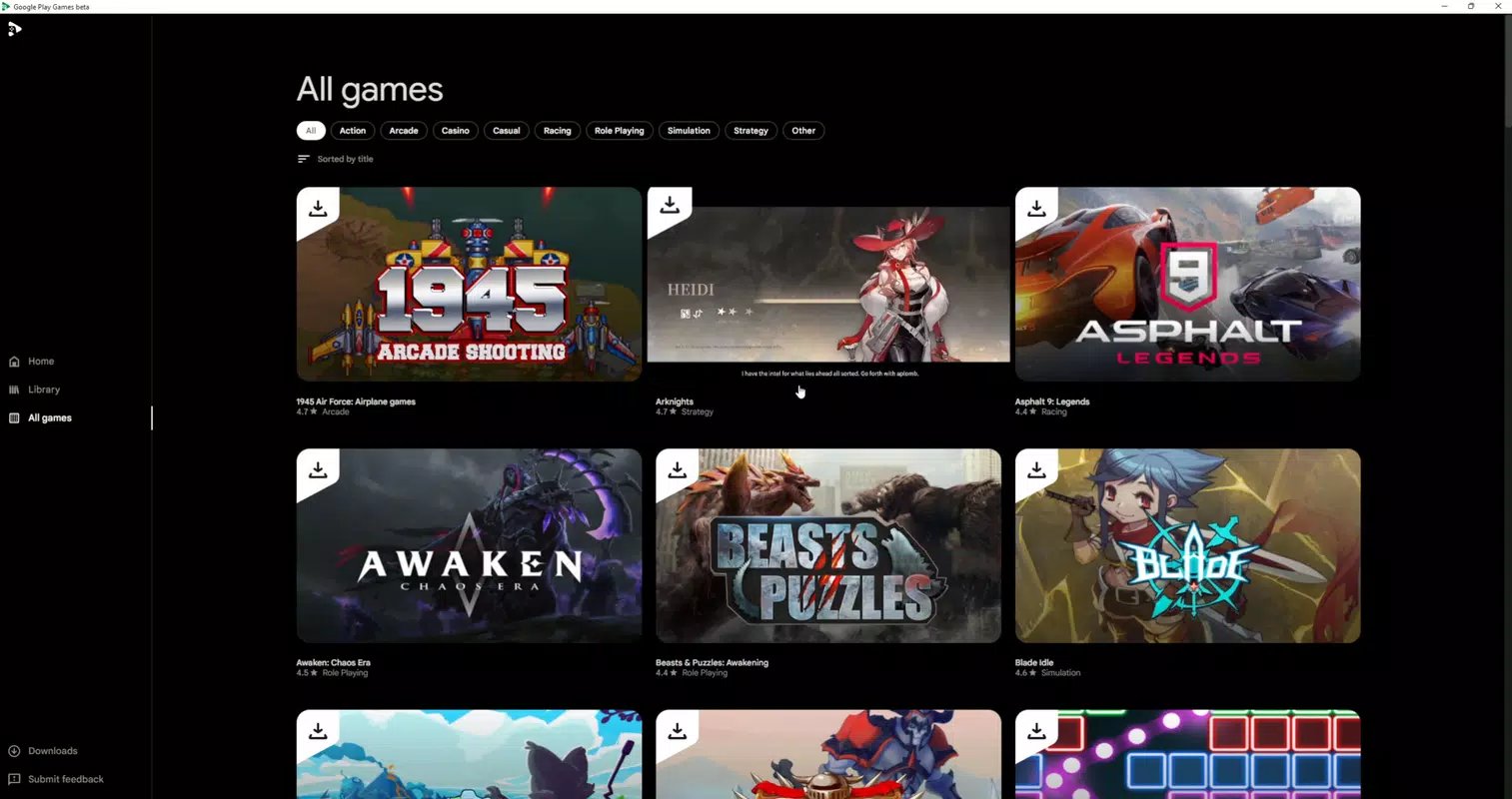
- Curated Selection of Mobile Games: The app provides access to a handpicked library of Android games, ensuring optimized performance and compatibility on Windows systems. Users can explore titles across various genres, including puzzle, adventure, and strategy, without needing to install a full Android emulator.
- Keyboard and Mouse Support: Designed for desktop usability, the application supports keyboard and mouse inputs, offering a more responsive and precise gaming experience compared to touchscreens. This is especially beneficial for games requiring fast reactions or complex controls.
- Seamless Syncing Across Devices: Game progress, achievements, and settings are synchronized in real time across devices. This allows users to start playing on their smartphone and continue on their PC without losing progress.
- Integration with Google Play Points: Users earn Google Play Points by playing games through the app, which can be redeemed for in-app purchases, digital content, or Google Play Credit, adding a layer of incentive for regular engagement.
- Windows-Only Availability: The application is currently restricted to Windows platforms, meaning Mac users are unable to access the service at this time.
Each feature is tailored to enhance user convenience and engagement. For example, keyboard and mouse support transforms touch-based mobile games into a more immersive desktop experience, while progress syncing ensures continuity. The integration with Google Play Points adds a gamified reward system, encouraging sustained use. These functionalities collectively support a unified gaming workflow across devices, making Google Play Games Beta a practical tool for users who value flexibility and efficiency in their gaming routines.
Interface, UX & Performance
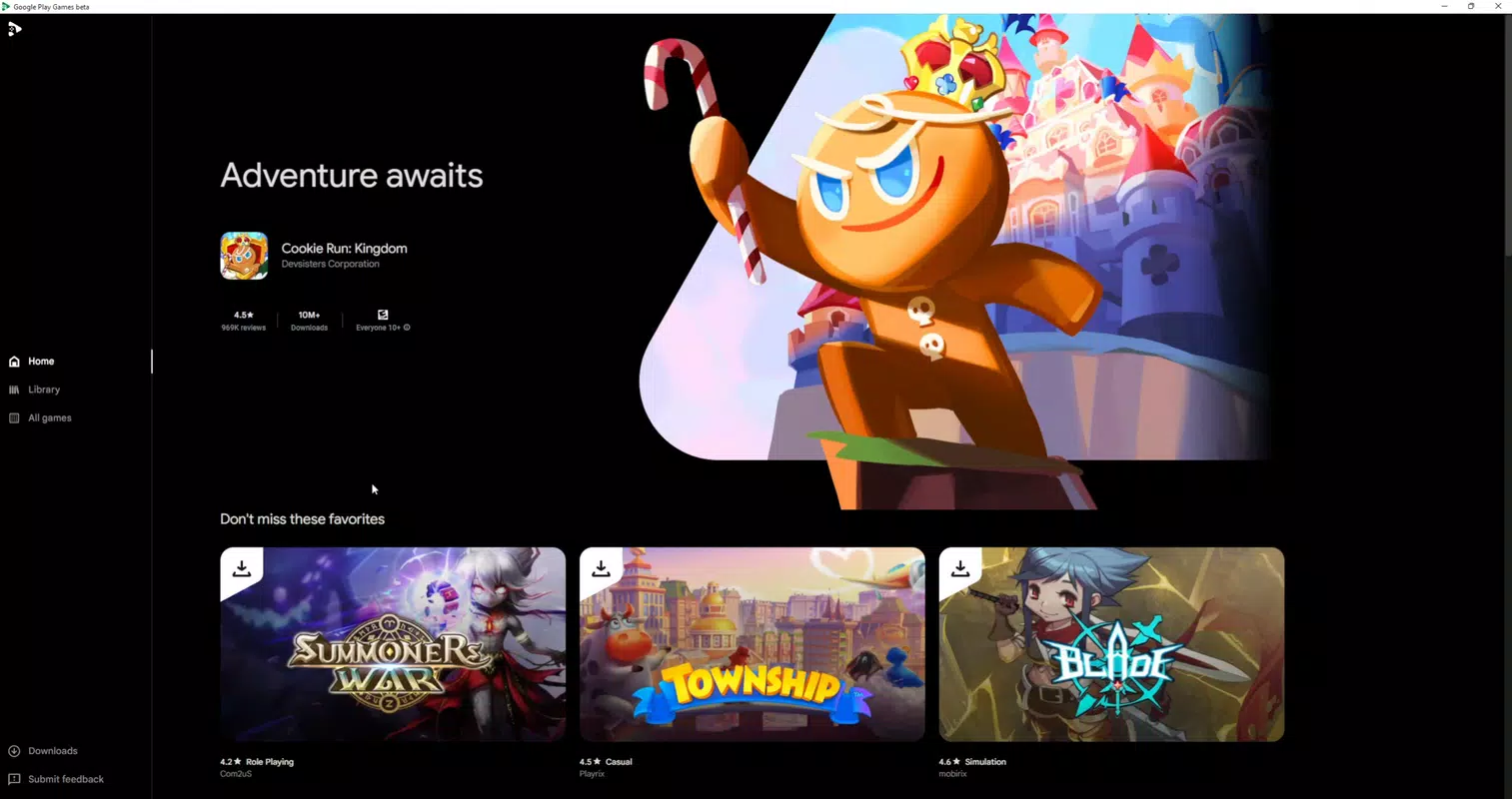
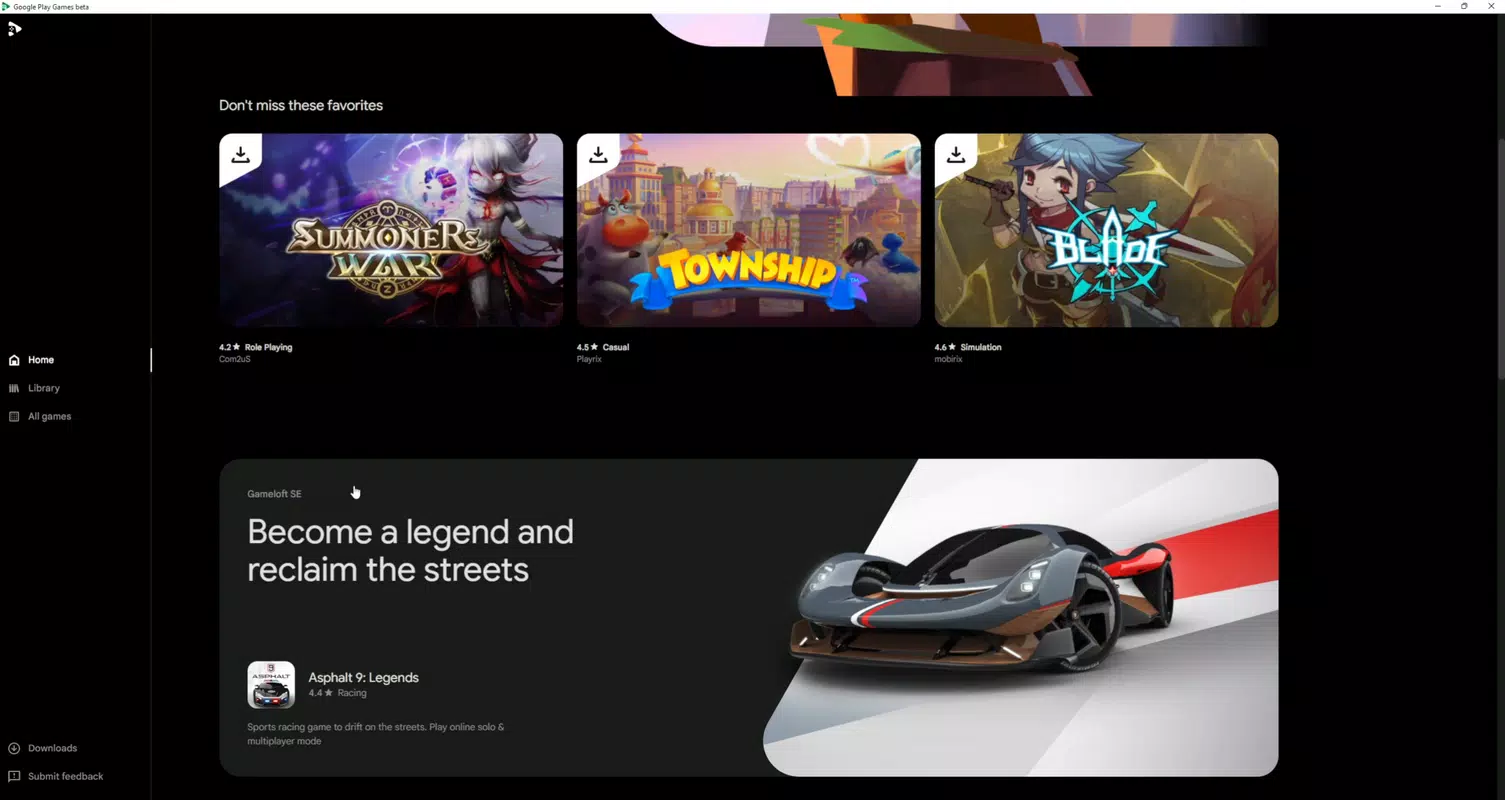
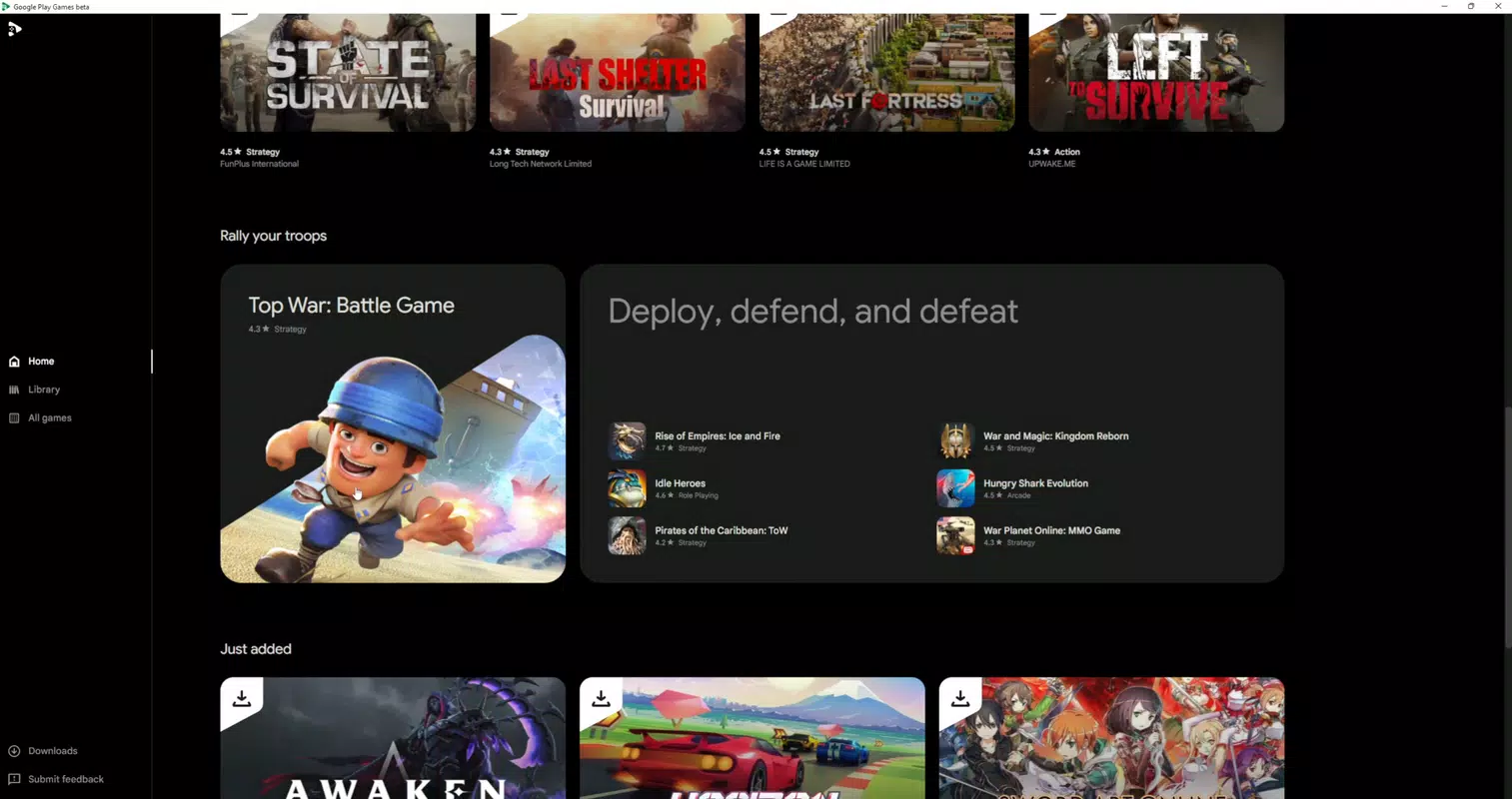
The interface of Google Play Games Beta reflects a clean, minimalistic design optimized for desktop navigation. The layout emphasizes game discovery with a centralized library, categorized browsing, and quick access to recently played titles. Navigation is intuitive, with a sidebar menu and a main content area that adapts to screen size.
Visual elements are consistent with Google’s Material You design language, ensuring a familiar and cohesive experience for users accustomed to other Google applications. The app responds promptly to user inputs, with smooth transitions between menus and game launch sequences. Although the developer did not list formal performance metrics, the application’s lightweight file size of 24.5 MB suggests efficient resource usage.
It runs reliably on a range of Windows devices, from budget laptops to high-end desktops, with no reported stability issues in initial user feedback. Responsiveness is maintained across different screen resolutions and window modes. The app maintains consistent frame rates during gameplay, indicating optimized rendering for mobile game assets.
Users can expect stable performance during extended gaming sessions, with minimal lag or crashes. The overall user experience is streamlined, focusing on accessibility and ease of use, making it suitable for both novice and experienced users.
Platform Compatibility & Technical Requirements
Google Play Games Beta is available exclusively for the Windows platform. It requires a compatible Windows operating system, though specific minimum OS versions were not listed by the developer. The app has a file size of 24.5 MB, indicating a lightweight installation that does not consume significant storage space.
It is designed to run on standard Windows hardware, supporting both 64-bit and 32-bit architectures, though detailed system requirements were not disclosed. The current software version is 2.2.21012601, released on March 12, 2024. The developer did not specify whether the app supports older versions of Windows or requires specific drivers.
Compatibility information was not fully disclosed. The application is free to download and install, with no in-app purchases required for basic functionality. Users should ensure their system meets general Windows compatibility standards for running third-party applications.
While the app is currently not available for Mac users, this limitation is clearly documented in the official release notes.
Pros and Cons
- Free to download and use
- Access to a curated selection of mobile games on PC
- Supports keyboard and mouse input for improved gameplay
- Seamless progress syncing across devices
- Integration with Google Play Points for rewards
- Lightweight file size (24.5 MB)
- Developed by Google LLC, ensuring trust and reliability
- Not available for Mac users
- Only a curated selection of games is accessible
- Specific system requirements were not listed
- May require additional setup for some games
- Limited to Windows platform
FAQ
Is Google Play Games Beta safe to install?
Yes, the app is developed by Google LLC and distributed through official channels, making it a secure download for Windows users.
Can I play any Android game on Google Play Games Beta?
No, only a curated selection of mobile games is currently available. Not all Android games are supported on the platform.
Does the app work on older versions of Windows?
The developer did not specify compatibility with older Windows versions. Users should ensure their system meets general Windows requirements for third-party applications.
Is there a cost to use Google Play Games Beta?
The app is free to download and install. There are no subscription fees or in-app purchase requirements for basic access.
Can I earn rewards from playing games on PC?
Yes, users can earn Google Play Points by playing games through the app, which can be redeemed for rewards such as in-app purchases or Google Play Credit.
Final Thoughts
Google Play Games Beta offers a compelling solution for Windows users who want to enjoy their favorite mobile games on a larger screen with enhanced controls. Its integration of keyboard and mouse support, progress syncing, and Google Play Points creates a cohesive and rewarding experience. While the app is limited to Windows and features a curated game library, its lightweight design and trusted developer make it a reliable choice for casual and mobile gaming enthusiasts.
The ability to transition seamlessly between devices enhances usability, making it ideal for users who value continuity. For those seeking a secure, free, and efficient way to expand their mobile gaming to PC, Google Play Games Beta delivers real value. With no cost and straightforward setup, it represents a smart addition to the modern gaming toolkit.
Download Google Play Games Beta now


